Who Were They?

Lost and forgotten photos from the past


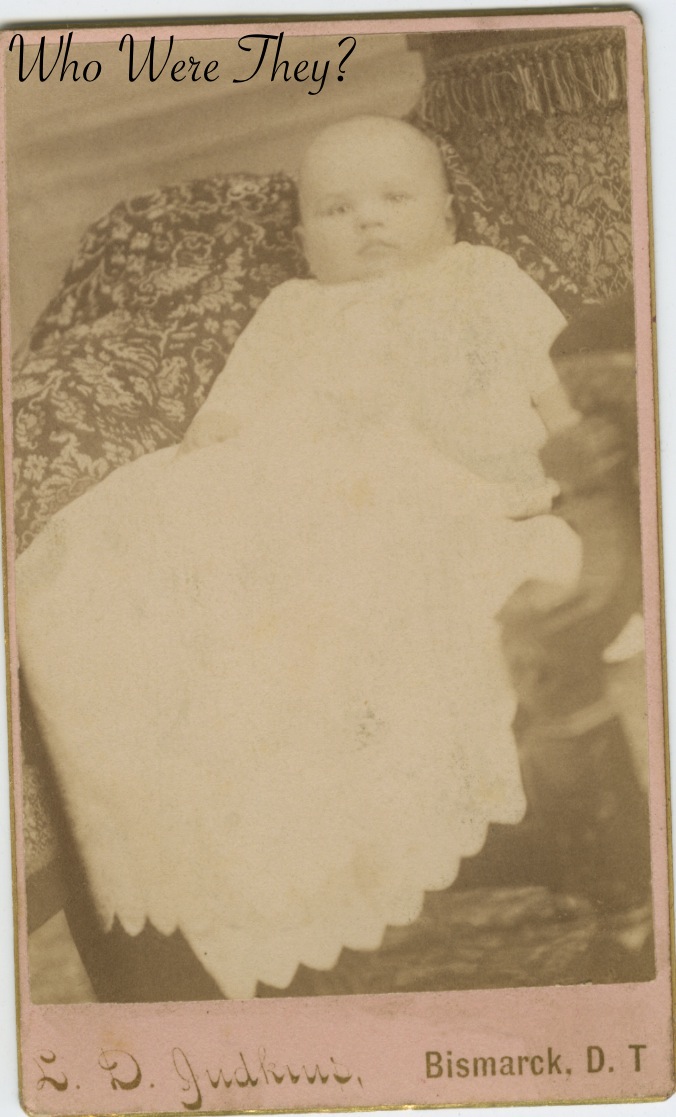
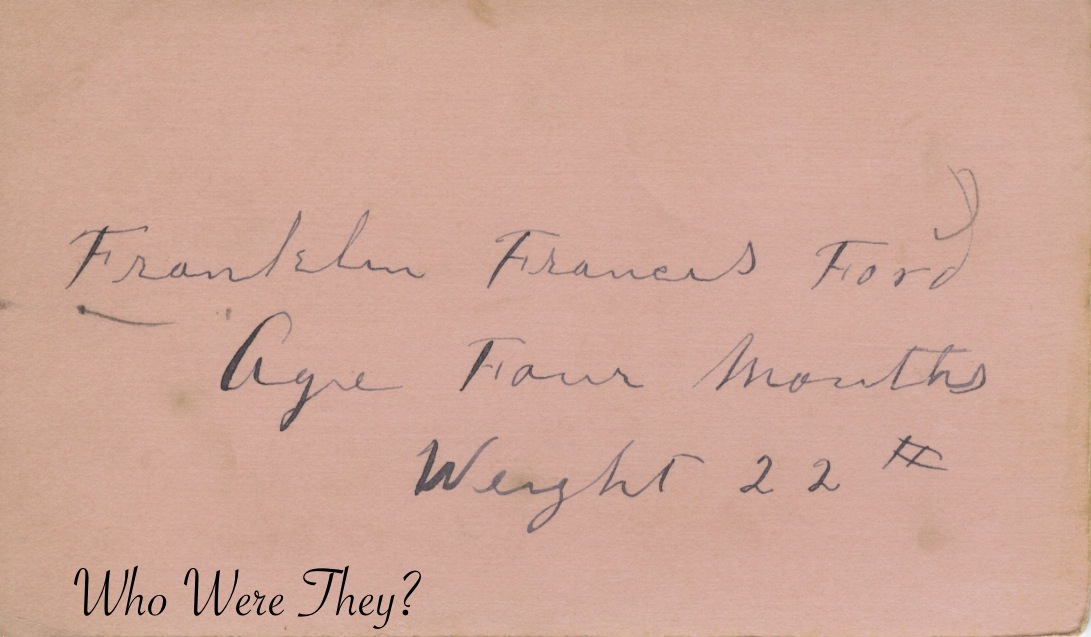
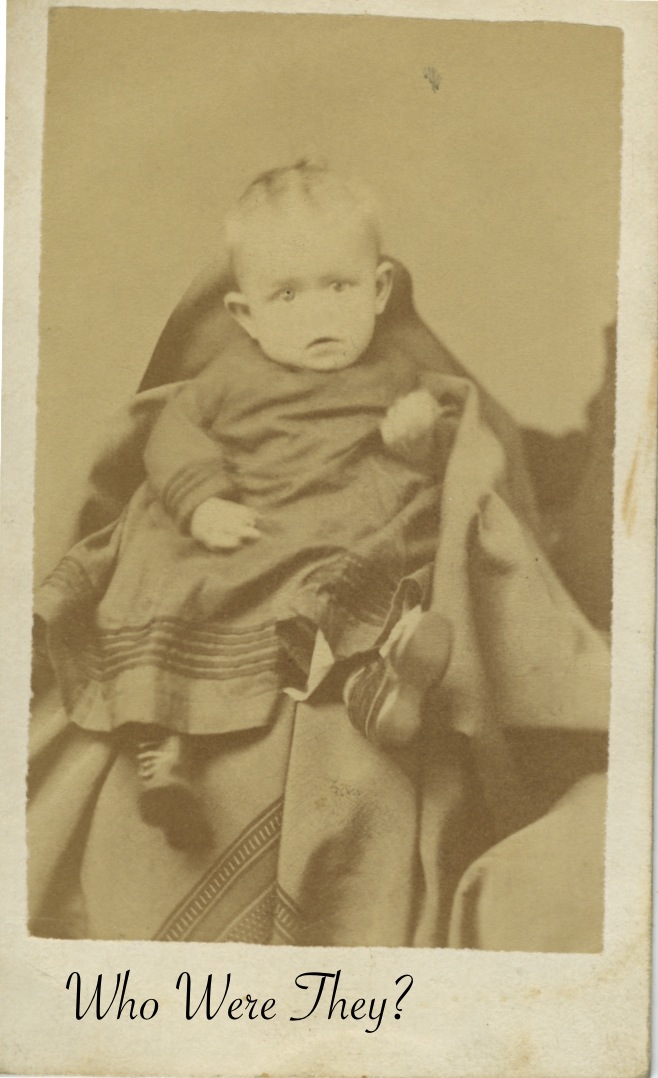
This little guy is Franklin Francis Ford, age four months, weight 22 pounds.  He’s a good size boy at four months. Franklin (Frank) was the son of Elias C Ford and Belle Kirby Ford, born July 11, 1883 in Dakota Territory. The Fords were a travelling family. Elias C was born in Ohio, his wife in Wisconsin. Daughter Sarah born in Wisconsin, son Elias K born in Wisconsin, Frank, in DT, Lillie Mae in Washington, and Arthur in Washington. Eventually, the family migrated to Oakland City, CA and Frank settled in and around the area, living in Ophir, Oroville and Butte in Butte County and Berkeley in Alameda County. Frank was a farmer and real estate office manager. He married Nellie Lorinda on the last day of 1910 and they were together until his death in 1946. Nellie lived until ’53. They did not appear to have had any children. However, I have a great lead on a family member, so keep your fingers crossed!

The photographer was Judkins in Bismark, DT.

A pair of siblings posed for their portrait. You can just see behind the girl’s feet the base of a positioning stand to help her hold her pose. The boy is handsome but unremarkable. The girl is wearing a great example of a girls’ bustle dress from the 1880s. The dress does not go beyond mid calf to allow her to play outdoors, but she is beginning to dress like a woman. She has very curly hair, which was very popular at the time. You can’t easily tell, but she is most likely wearing a junior corset.

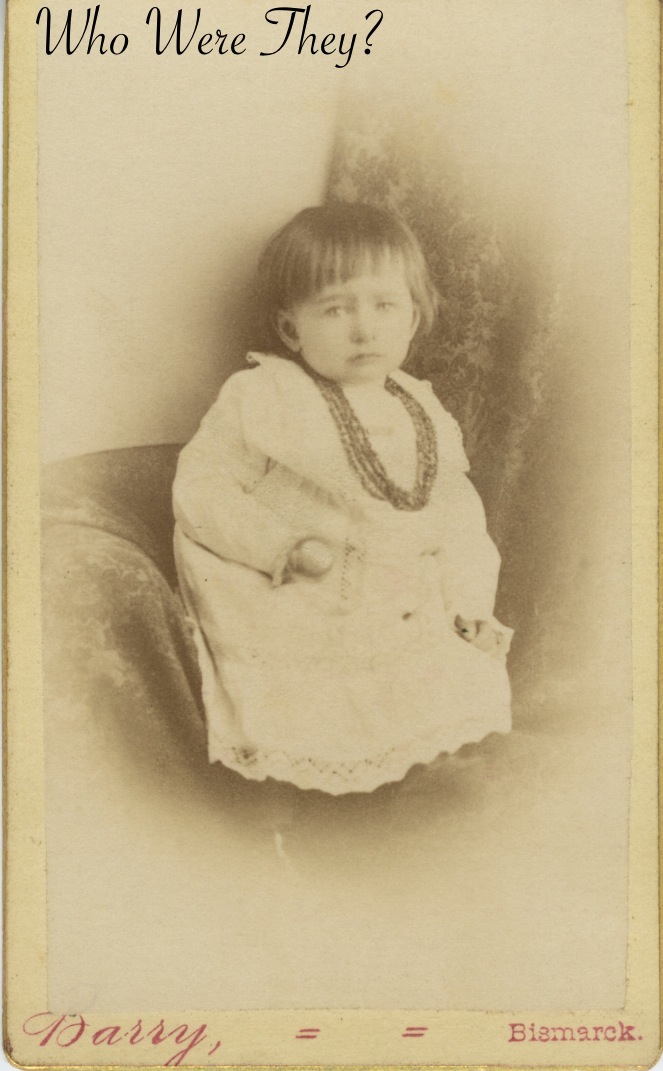
This little girl doesn’t look very  happy. Sometimes children have an inherently hopeful or happy look on their faces, but not this one. She looks like she wants her nap. She is posed in the corner of a chair covered with a blanket and has on several strands of beads as a necklace. It makes me wonder about the beads. What did they mean to the family? Were they just a trinket to make the baby look like a girl in the photo? Or were they something special that came as a gift from family far away?

The photographer was Barry in Bismarck, but we have no way of knowing if this was DT or North Dakota. The photo was mounted over to top loop of the B, making it look like Darry, but when you enlarge the image on-screen, you can see that missing loop under the image. Yet another unidentified child in the Red Velvet Album.

There was only one challenge for photographers in the 19th century that we can really see evidence of today, and that is movement. Because the exposure time was slow, subjects had to sit still for a long time. We see stands behind subjects helping them hold their pose, they lean on chairs or tables to hold their balance, or as in this case, there is an adult sitting next to this infant trying to hold him still. But where is the baby’s nose? You can see the child was moving because the hand is blurred and the nose, diminutive on a child at best, was blurred out of existence due to his moving.

The child is another unidentified person in the mystery of the Red Velvet Album. No photographer’s mark is on the photo either.

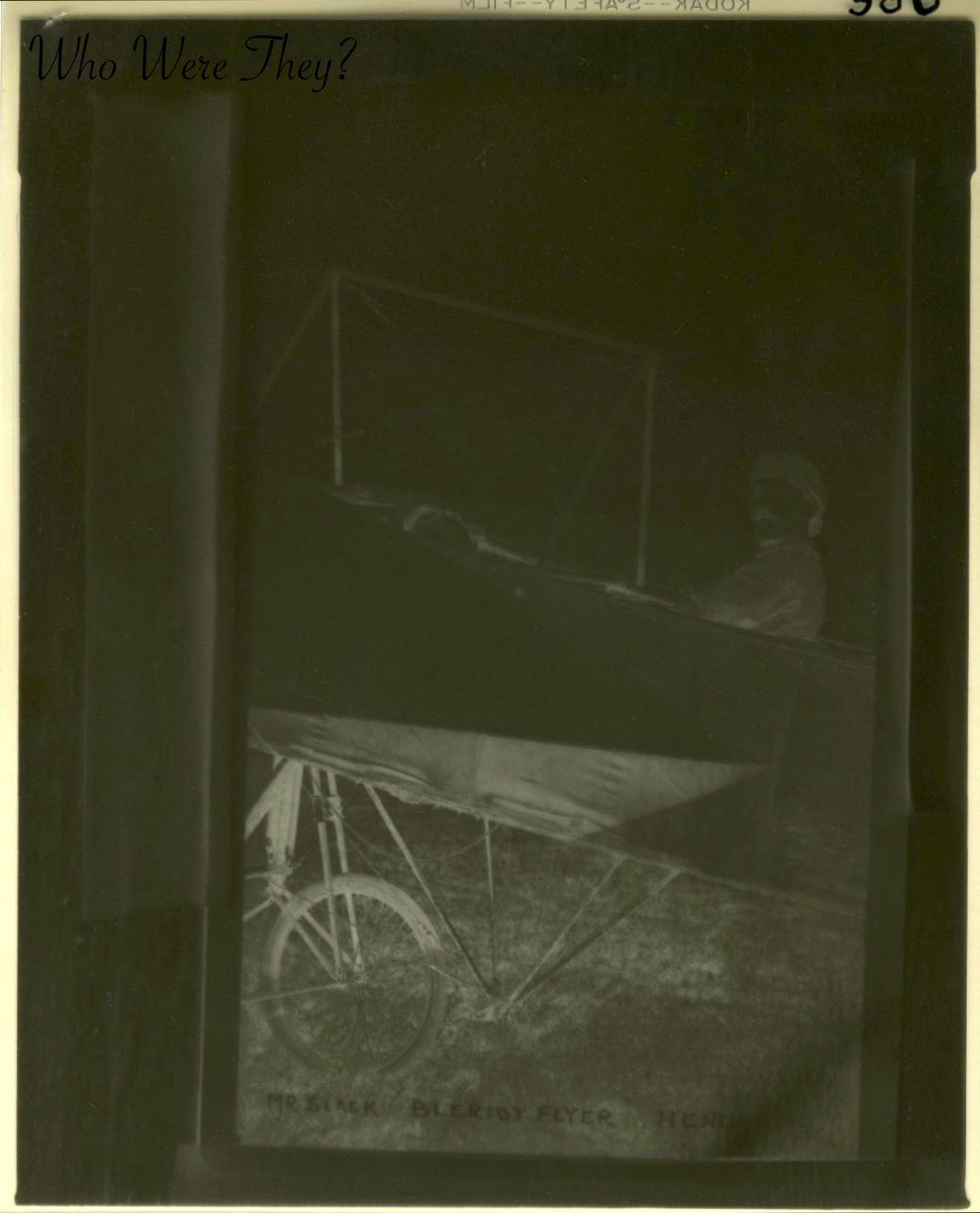
Scanned negative

More than a year ago I came across this negative and I knew I had to have it. It is a 3×4 negative made on Kodak Safety Film. The sleeve it came in indicated there should be 2 negatives and 1 print, but at some point in its life in the antique shop, the other negative and the print were separated from this one.

Shortly after I obtained it, Apple stopped supporting the scanner I have (it’s nearly 10 years old after all) and I lost my ability to scan negatives. Oh the frustration! Especially in light of the fact that this week’s Sepia Saturday prompt is “flight.” You can just tell this is a fellow sitting in a plane. A fellow blogger gave me some suggestions from her son, and lo and behold, I came up with this.
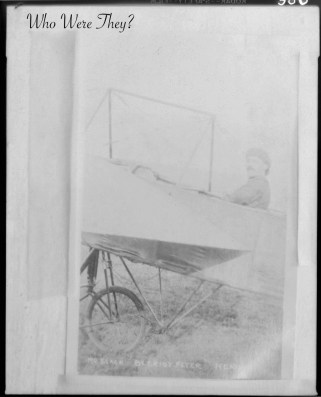
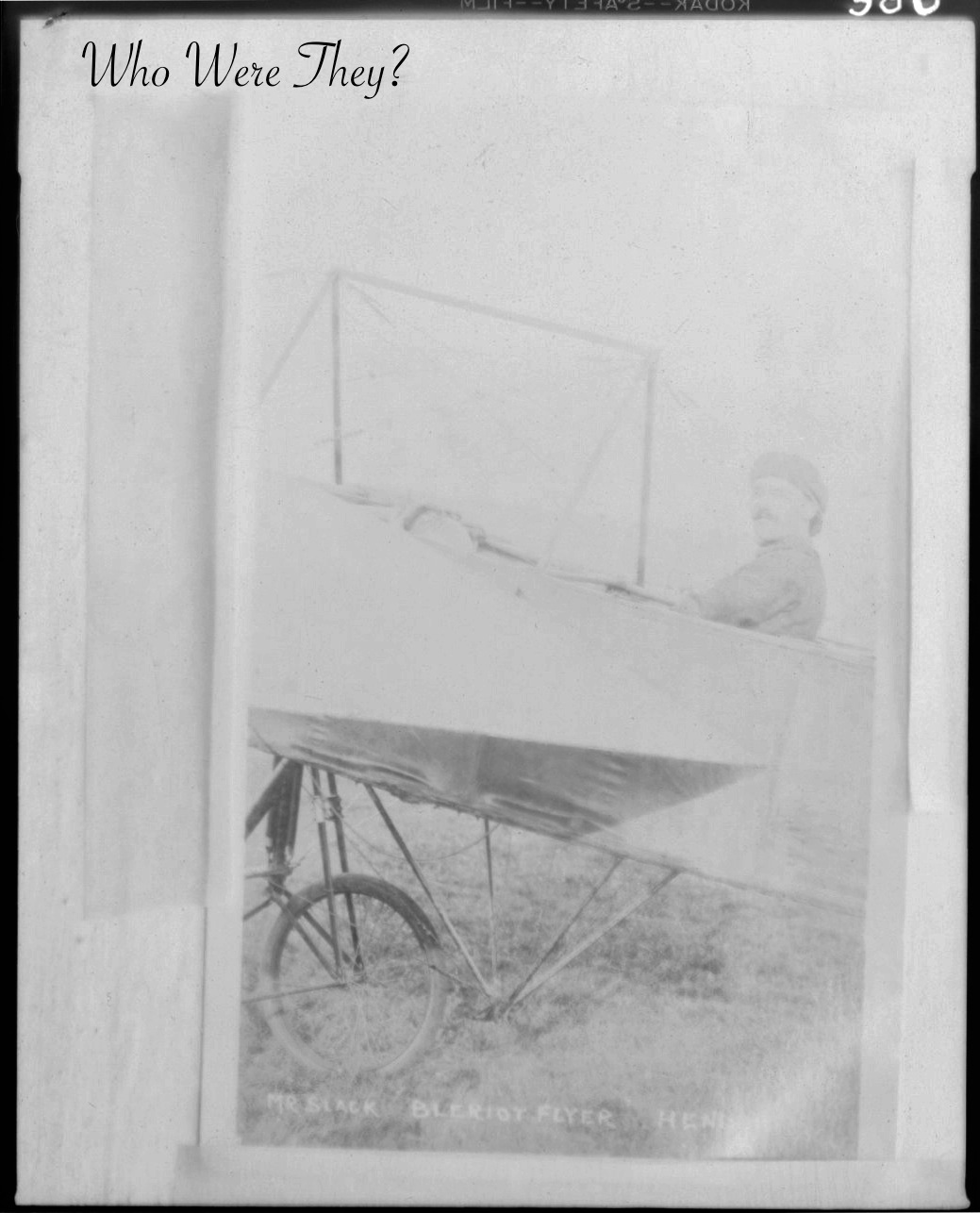
Adjusted image

It must have been a bright day because the exposure isn’t very good, but you can clearly see it is a photo of a photo, titled “Mr Slack Bleriot Flyer” and then another word I can’t make out. The sleeve of the negative says “Pilot is a good one. Took a correspondence course in flying!” and also indicates it is French, dated to 1909.

In researching the Bleriot Flyer, I learned that the inventor – Louis Charles-Joseph Bleriot – had his first flight in 1907 and by 1909 was selling planes known for their performance and quality. Even more interesting, the subject of this particular photo bears some resemblance to Bleriot the inventor, all be it comparing a fuzzy 100 year old negative image to a webpage. This is a wiki on Bleriot if you wish additional information on one of the first planes in France and also photos of Mr Bleriot.

Click over to Sepia Saturday for more sepia images from around the world.

Let your curiosity soar

BY POPULAR DEMAND I scanned the negative as a positive, a regular photo. I then took the image into GIMP, a free program that works like Photoshop. I then inverted the colors. If I had more experience with these types of programs I could play around with contrast and sharpness to get a better, more clear image. But I don’t, lol. If you have Photoshop you don’t need GIMP, but if you do not have Photoshop and don’t want to buy it, GIMP is a great, free download that works nearly the same way. I have an Epson Perfection 4870 scanner, pretty old, and am using an iMac. Your experience may differ based on your equipment.